


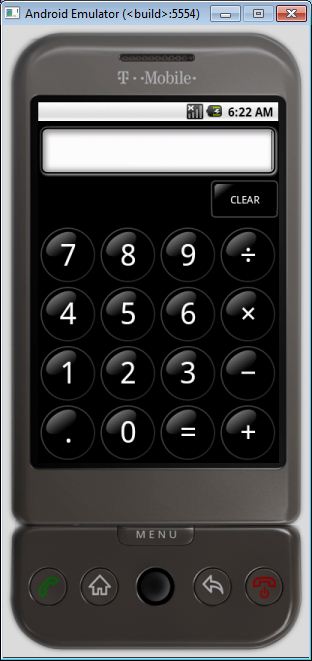

- First.. Download Android Emulator 1.5 for Windows (Mediafire) or here (cloud.addictivetips.com)
- Download the exe patch.(XDA)
- Then extract the Android Emulator v1.5 file to any location you want.

- Extract the exe patch file and replace both executable file (Run_Emulator)

Choose any of the exe file and wait for Android to run on your Windows 7. It will take sometime to load, but it worth the wait. Enjoy..
Tags
Android
it dose not starts
ReplyDeleteya it is not working
ReplyDeleteits not working
ReplyDeletenot it is working on pc
ReplyDeletehttp://cloud.addictivetips.com/wp-content/uploads/2009/Android-Emulator.zip is the link for downloading th emulator
ReplyDeleteright click and save link as -_-
ReplyDeleteworking FINE ... i suppose the others didn't rename the folder so it wont start ....
ReplyDeletethe eMu is working great !
oh thanks dude it works really great
ReplyDeletehow to run an app in this thing
ReplyDeleteit takes too much time to start,and in the end it don't works
ReplyDeletethank you for good attempts but it is not working
ReplyDeleteits working but cann;t upload the viver
ReplyDeletehmmm... when i execute the files, and by the way i renamed the main directory...
ReplyDeletean ms-dos runs and then...... nothing.. hmmp..
should i restart the computer?
how long does it take to load?
Its not starting
ReplyDeleteit works if you follow all the steps given above but when i install any app in it it says "this app could not be installed in your dwvice"......
ReplyDeleteit also hangs,works very slowbut u did a great job making this app
IT DOESN'T WORK.. WASTE OF TIME.
ReplyDeleteCRAPPY
ReplyDeleteis it really useful when the apps don't work properly?
ReplyDeletedoes it work
ReplyDeletestupid apppppp
ReplyDeleteIt does not work
ReplyDeleteit open for 1 second and close ?
ReplyDeleteit does not work
ReplyDeleteits work on my pc
ReplyDeletewin 7 1gb 256vga
no problem
how can add apps to emu?
thankyou
works fine, just slow
ReplyDeleteits works but slow ...
ReplyDelete